
Change Pixels To Inches Indesign
1
Open “Units & Increments”
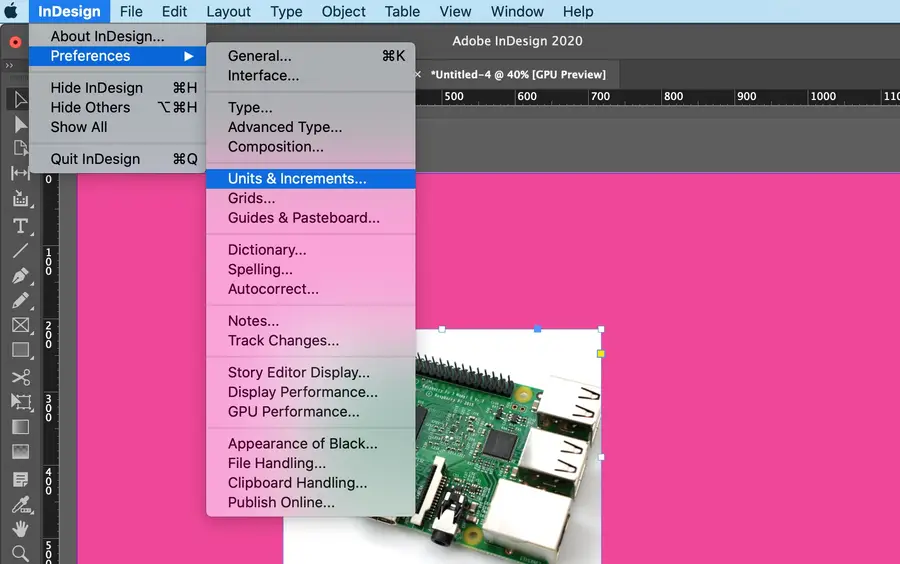
Click InDesign in the top toolbar.
Go to Preferences and click Units & Increments….
2
Change to inches (or desired measurement)
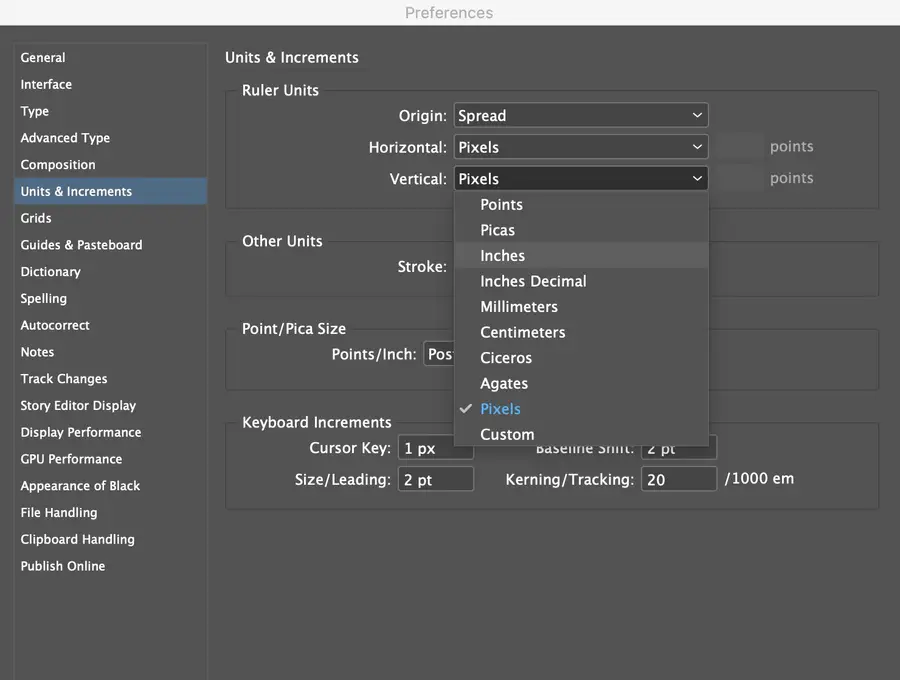
Using the drop-down arrows for the Horizontal and Vertical measurements, choose the type of measurement you would like to use in the document.
Click Okay.