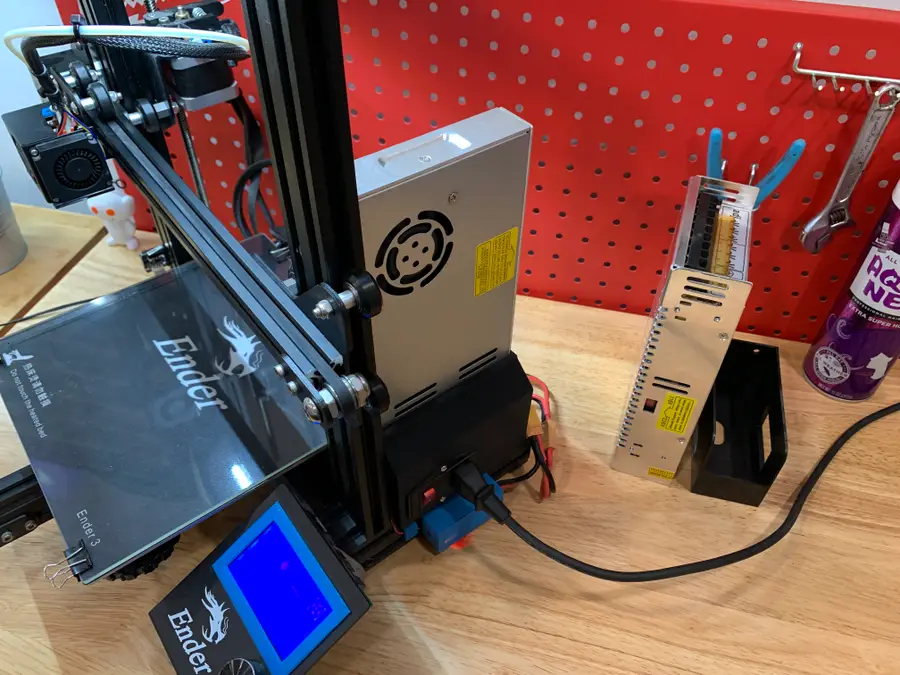
Ender 3 Meanwell Psu Upgrade
Set the correct input voltage
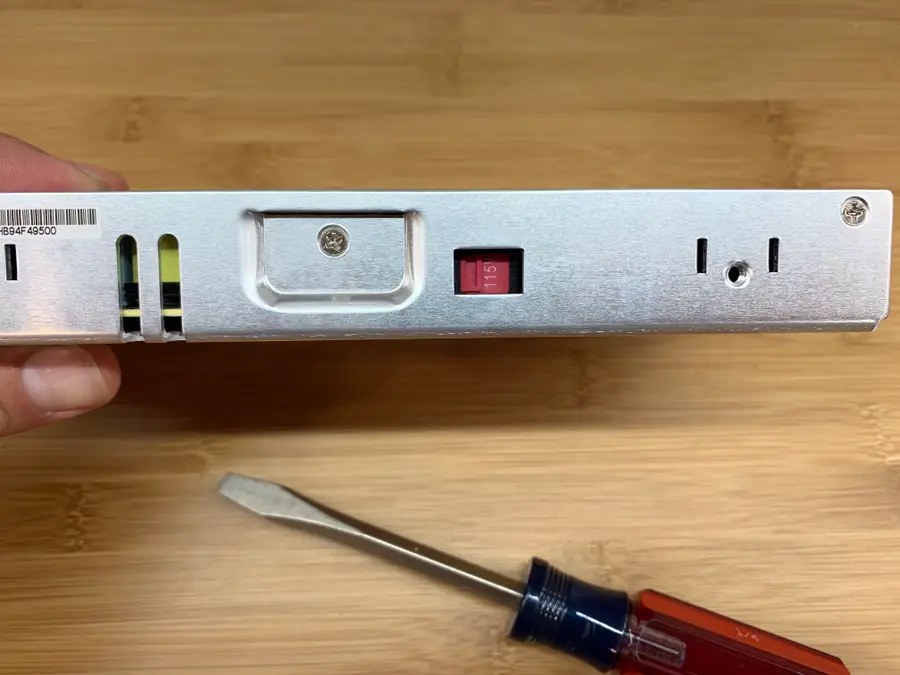
Use a flathead screwdriver to slide the input voltage switch to either 115V or 230V, depending on your country. I’m in the US so I switched it to 115V.
You probably know which mains voltage your country uses, but if for some reason you don’t, you can reference this “Mains electricity by country” Wikipedia article.
Print a MeanWell PSU cover
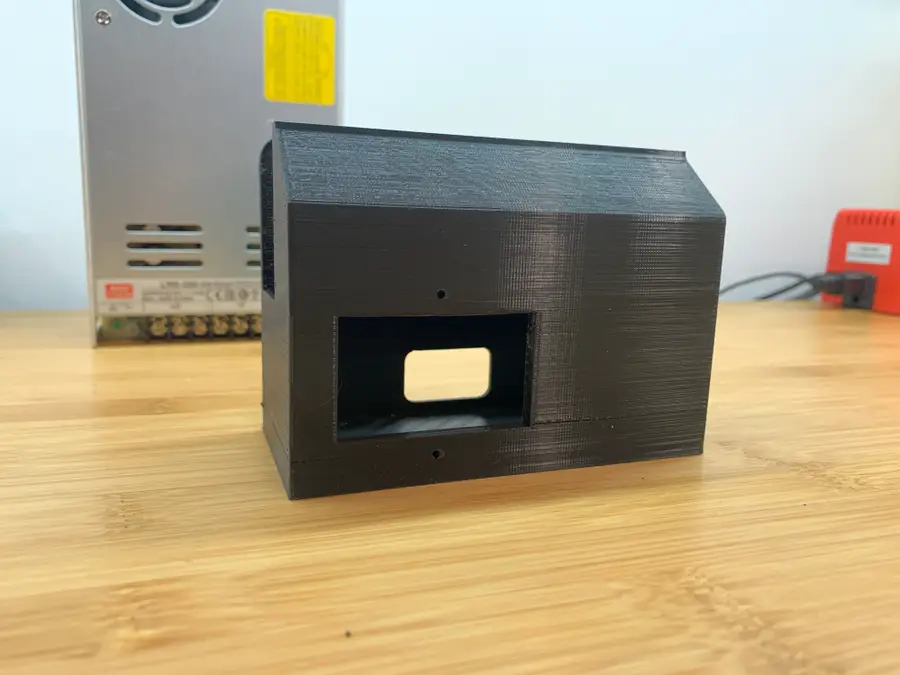
Your MeanWell PSU probably didn’t come with a PSU cover, the bottom portion that holds the AC plug inlet and protects your terminal block from dangerous shorts (and fingers).
Since the MeanWell PSU is smaller than the stock one, the old cover won’t fit; therefore, you’ll need to print a new one. You can find tons of designs on Thingiverse, but I recommend this excellent model from TH3D Studio.
Download and print that model. I was able to print mine standing up without supports. My Ender 3 was more than capable of “bridging the gap” without stringing.
Remove the old PSU
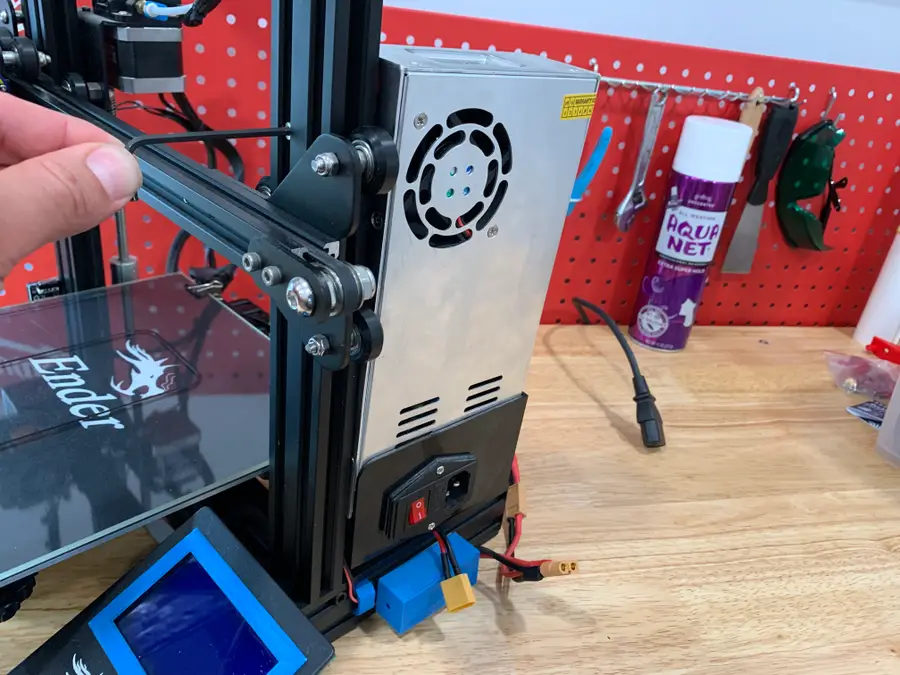
Unplug your printer’s power cable and disconnect the XT60 connector that connects the PSU to your printer.
Then, use an M3 hex key to remove the two front cap screws that secure the stock PSU to your printer’s right Z-axis vertical support.
Finally, set the old PSU aside.
Transfer the AC inlet
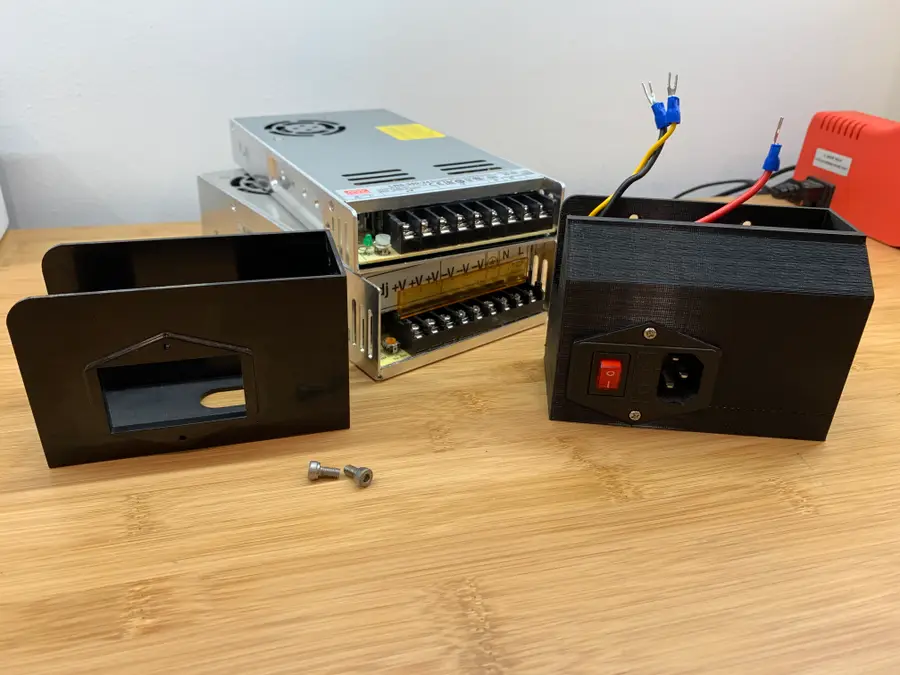
We’ll need to disassemble the old PSU and transfer the AC inlet (plug) and wiring to the new MeanWell PSU.
Remove the two M3 screws from the bottom cover. Then, use a Phillips screwdriver to remove the two inlet screws.
Take a photo of the wiring (or reference my photo in the step below). Then, unscrew each screw to remove the 5 wires from the PSU terminal block.
Finally, insert the AC plug inlet into the new PSU bottom cover and secure it using the two Phillips screws.
Wire up the new MeanWell PSU
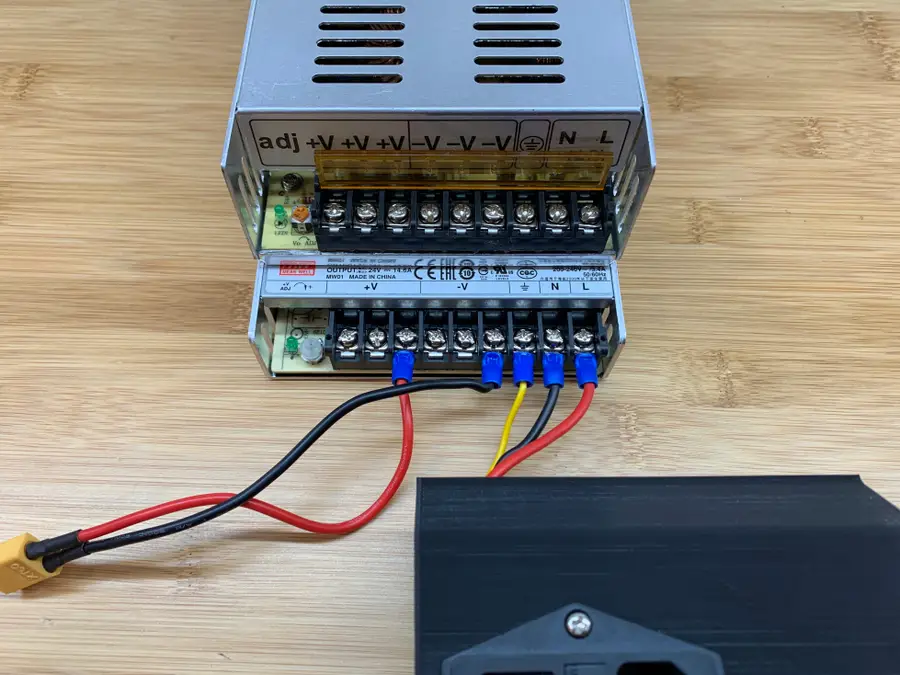
Wire up the PSU the same as the old one. In addition to the photo I took, here’s a handy table I made to help you with your wiring:
MeanWell PSU wiring
Secure the new cover
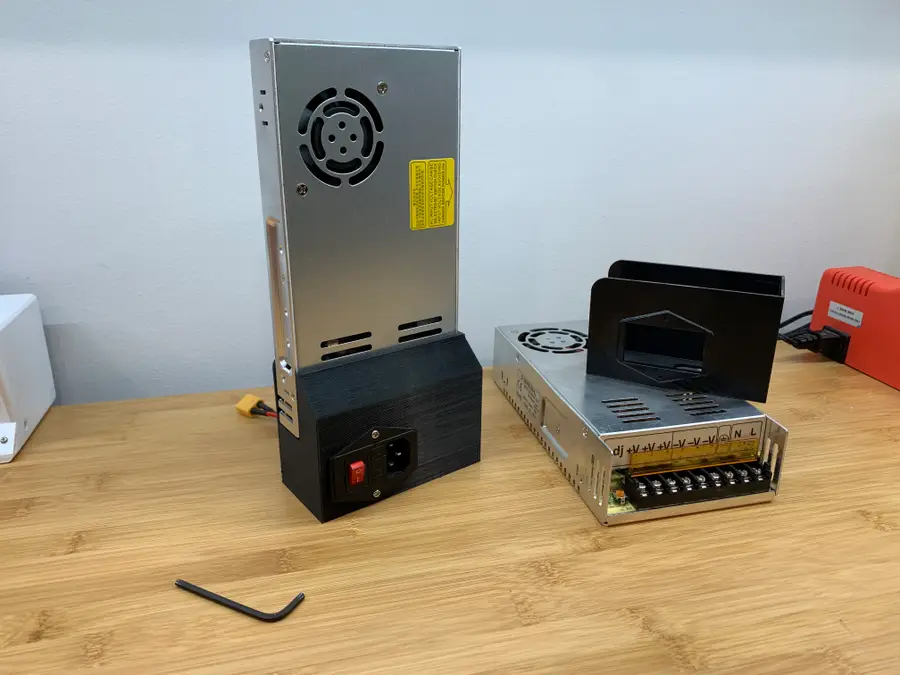
Route the XT60 cable through the back opening of the MeanWell PSU cover. Slide the cover into place, and secure it using the two M3 screws you removed from the old cover.
Mount the new MeanWell PSU assembly
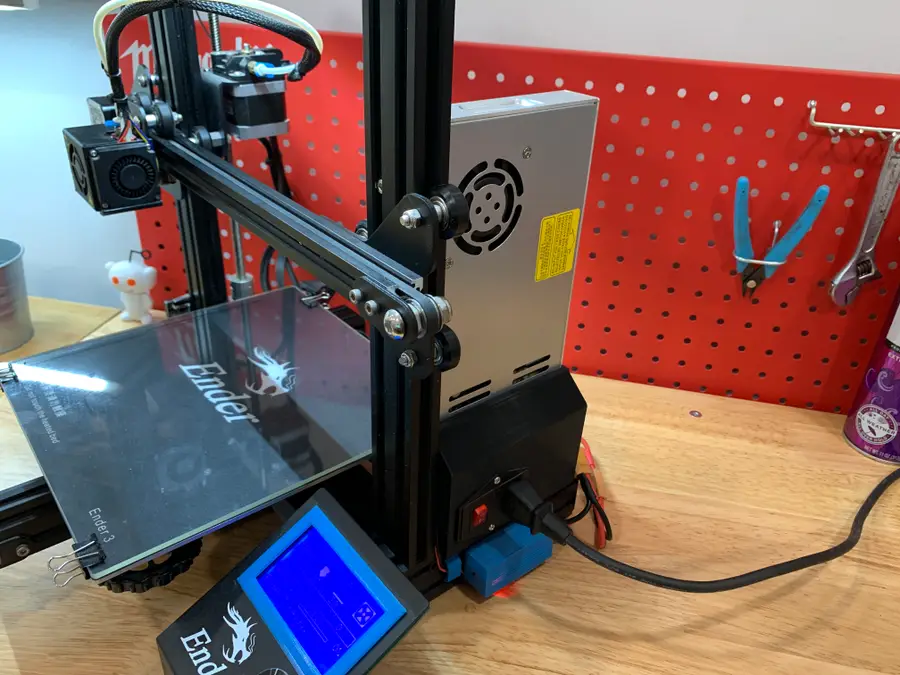
Mount your brand-new PSU to your Ender 3’s Z-axis support using the same screws that secured the old one.
Reconnect your cables and you’re good to go! Next, check out my Ender 3 mainboard upgrade guide—an upgraded mainboard gives you better prints while making your printer eerily silent.
Creality Ender 3 Silent Mainboard Upgrade: Better Prints with Less Noise!
Make your Ender 3 quieter and improve your prints with this board upgrade.