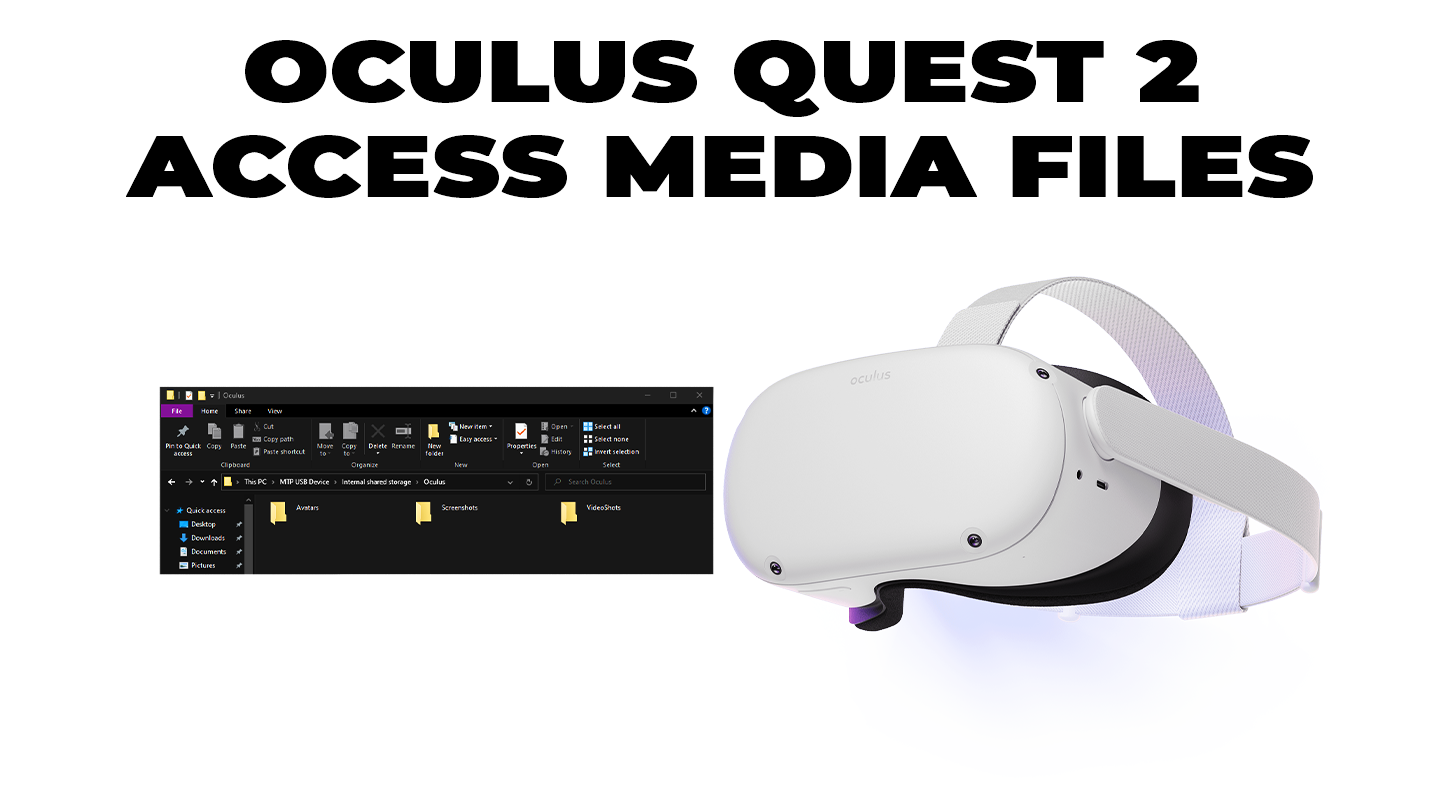
Access Media Files
1
Connect to the PC
A popup will appear on the Quest 2 asking for access to data. Click “Allow”.
2
View PC files
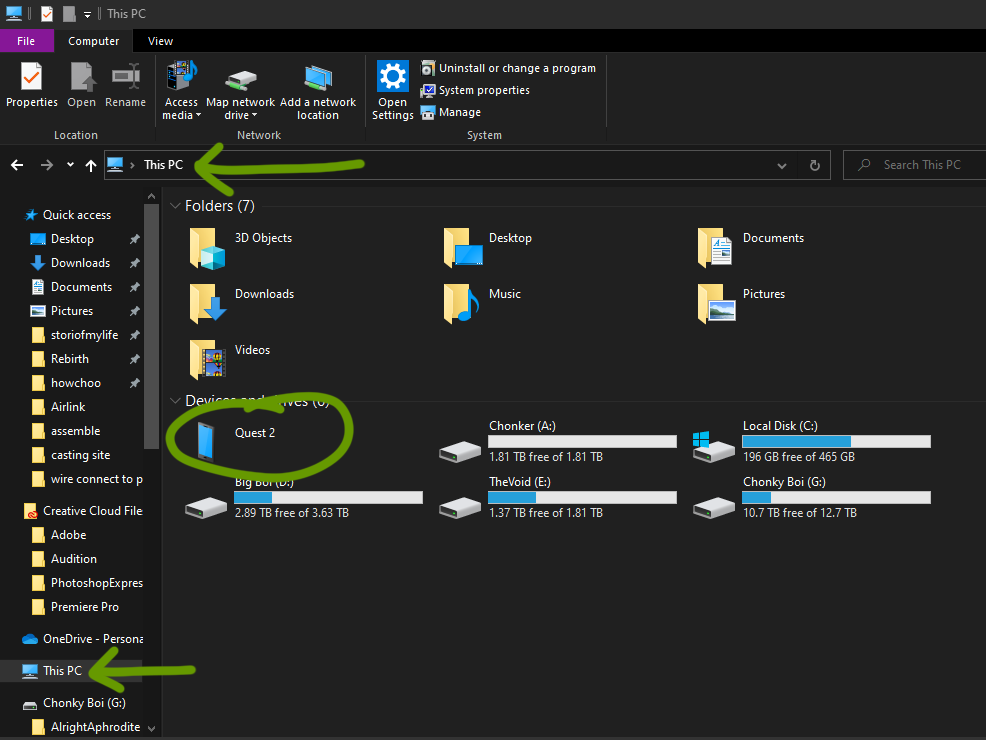
3
Open Internal shared storage
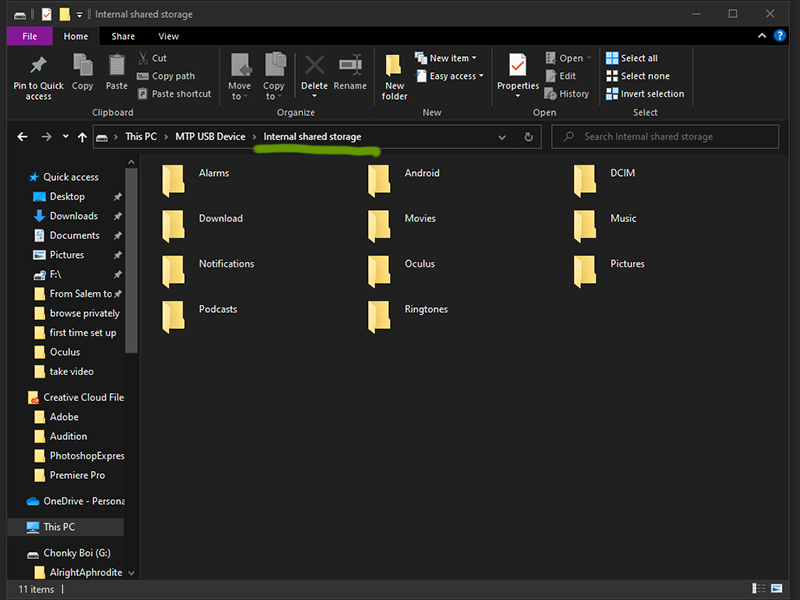
listed under devices and drivers.open that folder and go into the folder labeled âInternal shared storageâ.
4
Open Oculus folder
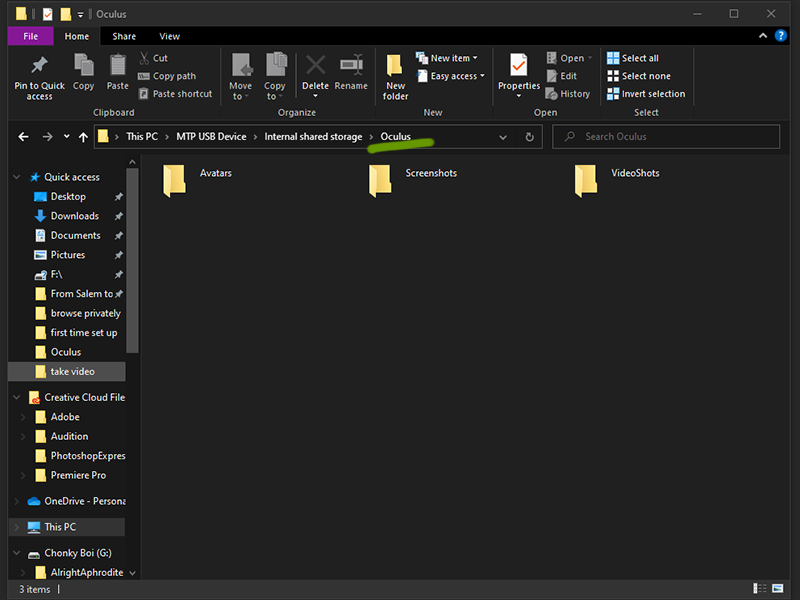
Double click to open the Oculus folder.
5
Open the wanted media folder
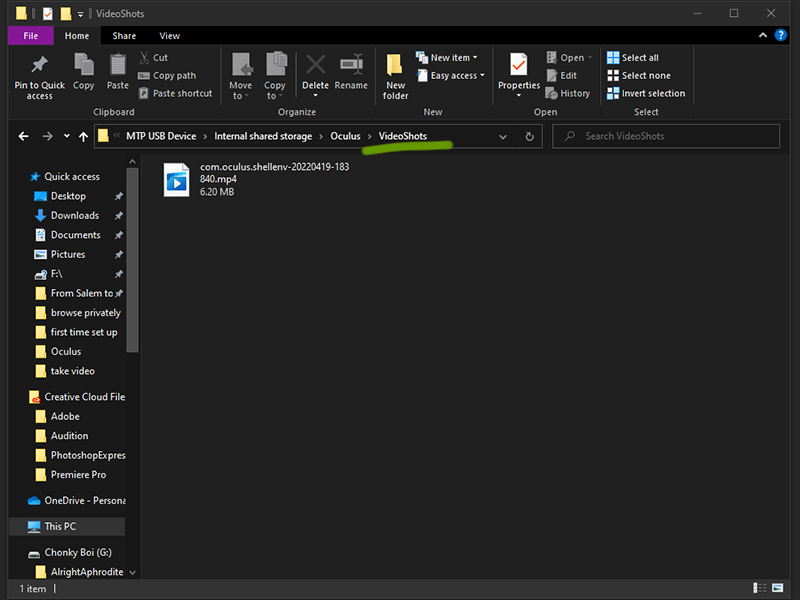
If youâre interested in learning how to take video or screenshots, visit the guides linked below:
- How To Take a Screenshot on the Oculus Quest 2
- How To Record a Video on the Oculus Quest 2