
How To Disable The Giant Cursor In Osx El Capitan
1
Open Accessibility settings
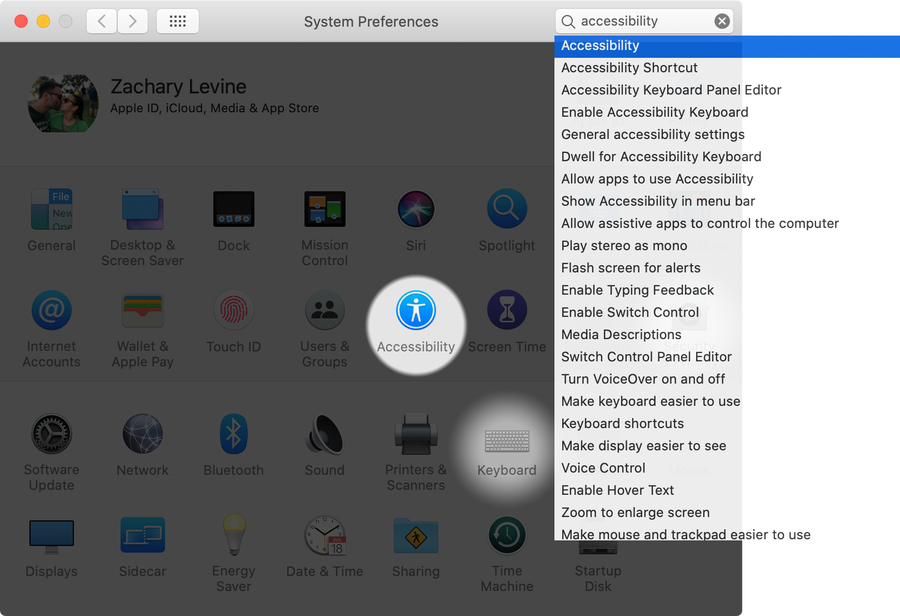
Open System Preferences and click on Accessibility.
2
Access Cursor settings
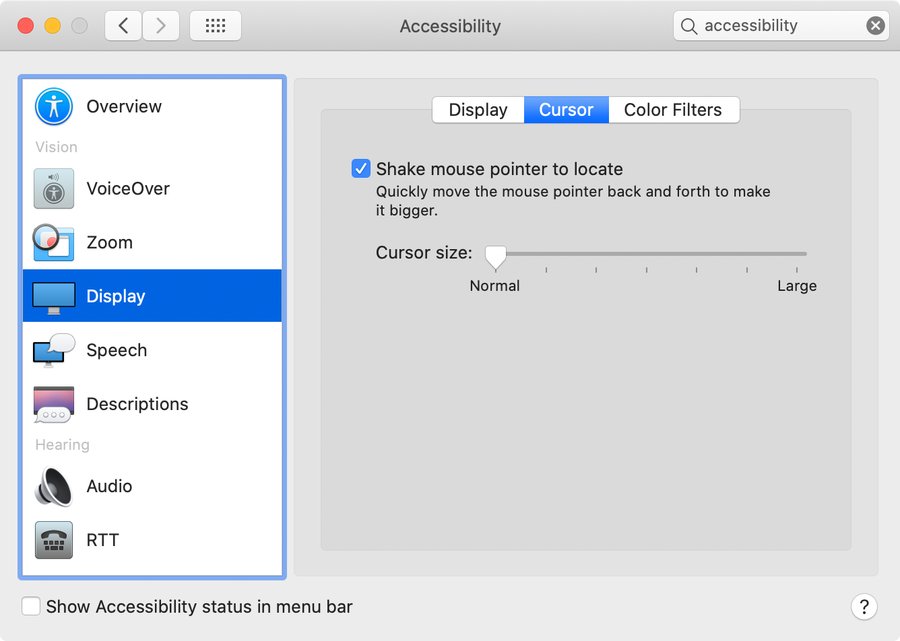
Select Display in the sidebar and then select the Cursor tab.
3
Disable the giant cursor
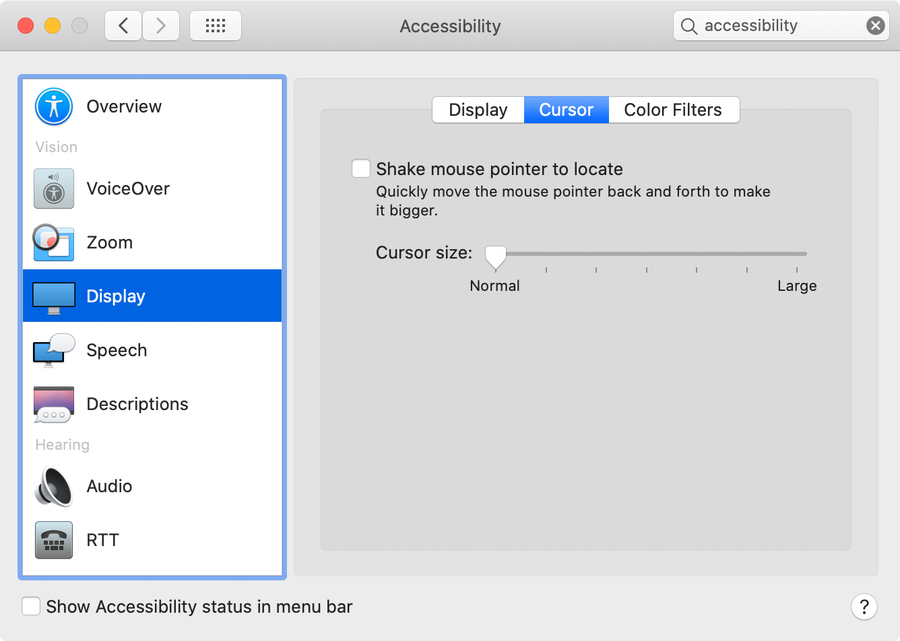
Uncheck the Shake mouse pointer to locate checkbox to prevent the cursor from getting bigger when you shake your mouse.