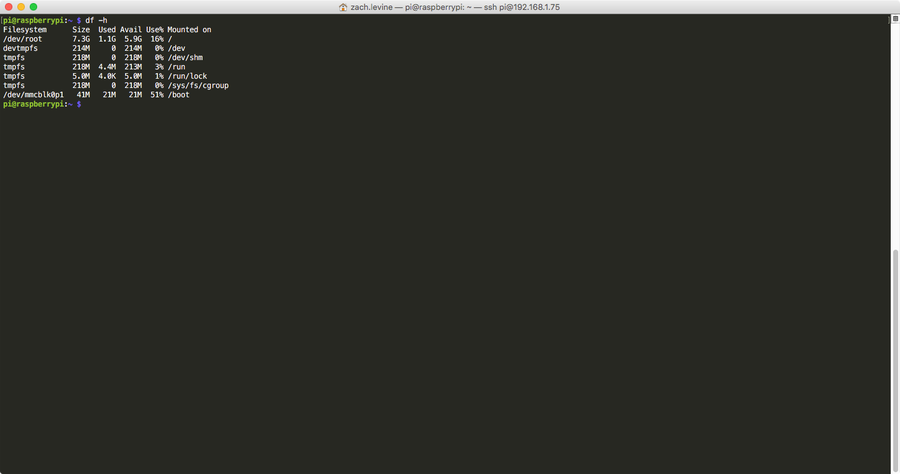
How To Check Your Raspberry Pi S Sd Card Disk Space Usage
1
Get to the command line/terminal
Open a new command line/terminal session.
If you’re using Jessie Lite, this is the default state that your Pi boots into.
If you’re using RetroPie, you can get here by pressing F4 on a keyboard or by exiting to the command line through the RetroPie UI.
If you’re using Raspberry Pi OS (formerly Raspbian), simply open a new Terminal.
2
Run the following command
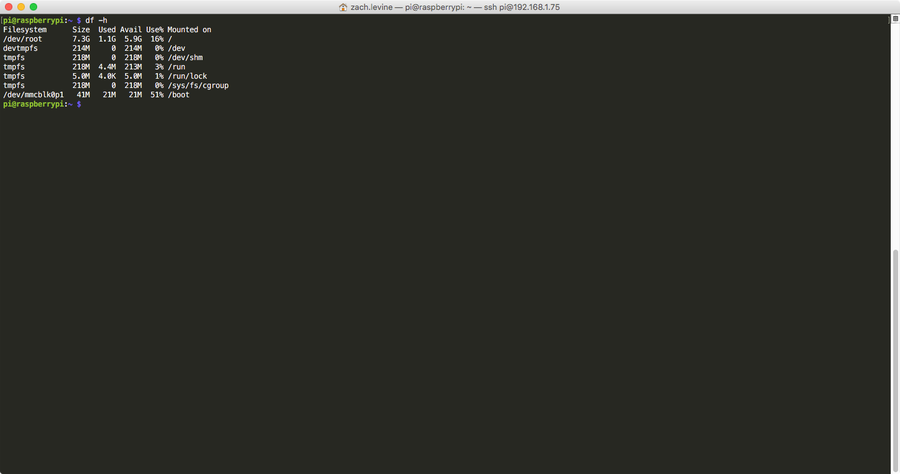
Run the following command and press enter:
dfThis will display the total disk usage for your SD card in columns. If you’d like to make it more readable, you can add the -h flag, which will add G and M units for gigabytes and megabytes:
df -h