Run Python Terminal
Run a Python script in Windows
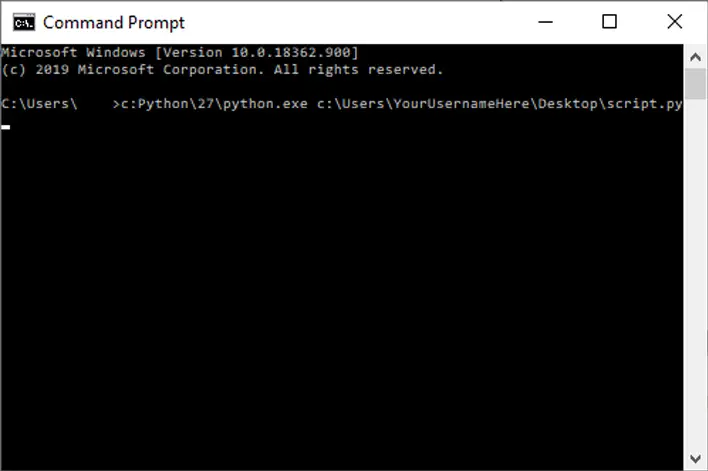
Open Command Prompt. An easy way to reach Command Prompt is by opening the Start Menu and searching for cmd. Select Command Prompt from the list of applications.
How to run a Python script
By default, you will need to point Command Prompt to the Python installation location. Here’s an example of what a command would look like when executing a Python script.
C:Python27python.exe C:UsersYourUsernameHereDesktopscript.pyIf you don’t want to type the full Python installation path, you can add an exception to your PATH environment variable for python.exe.
Using the Python shell
From the Command Prompt window, type python or python3 and press enter.
Python one-liners
This will as long as Python has been added to your PATH environment variable. Here’s an example of a one-liner you can run from command prompt.
python -c "print('hello world')"Run a Python Script on a Mac or Linux
Mac users can run Python scripts using Terminal. Launch Terminal to begin.
There are two common ways to run a Python script from the command line. You can call the python program directly, and pass the name of the script to execute. Or you can make the script executable, and call it directly.
Run a script using python
Running a script using the python program is easy, and it’s probably the method most people are familiar with. Simply call python and pass the name of your script, like this:
python myscript.py

# or

python3 myscript.py
Making a Python script executable
If your Python script includes a “shebang” (#!/usr/bin/env python or #!/usr/bin/env python3). You can make your script executable, like this:
chmod +x myscript.pyand execute it like this:
./myscript.pyUsing the Python shell
You can open a Python shell simply by typing python or python3 into a Terminal window. Then you can run Python commands directly in the shell.
Python one-liners
You can also execute Python directly on the cli using the -c option. Example:
python -c "print('hello world')"