How To Change Game Version For Minecraft Java Edition
1
Installations
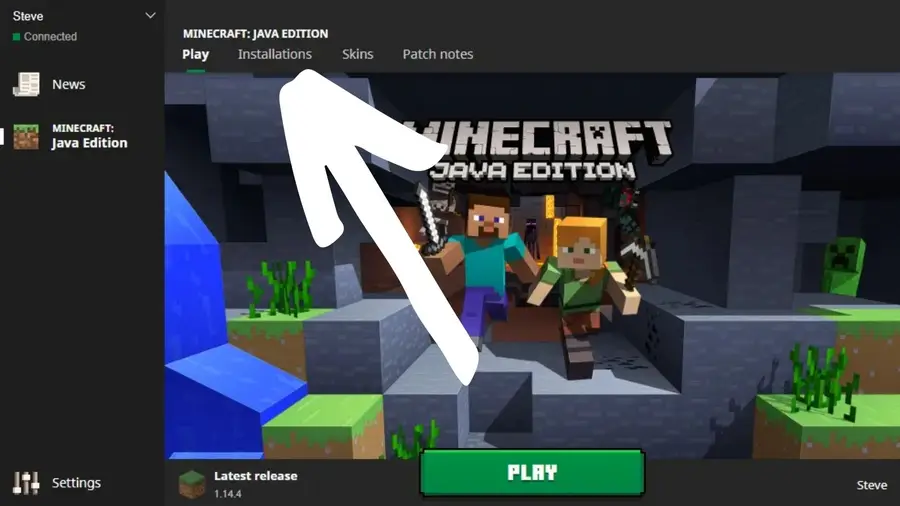
Click Installations on the launcher start page, and then click New.
2
Create new installation
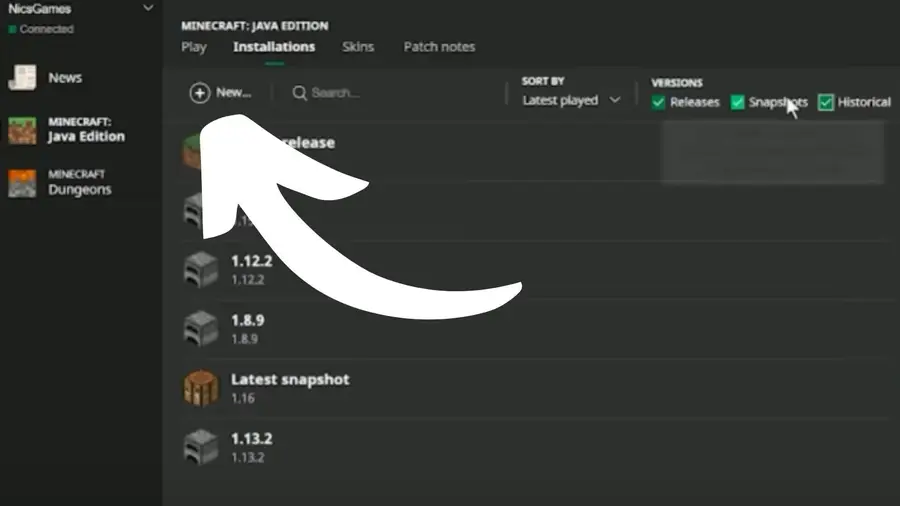
In the Create new installation box, select a name for the installation and choose the game version from the VERSION list.
3
Finish creation
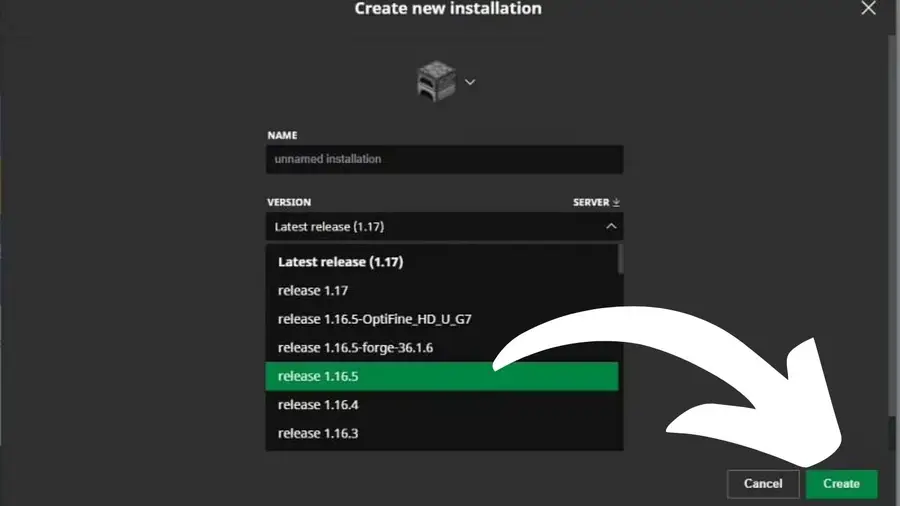
Click Create to save the change, and then click Play on the top menu.
4
Find saved installation and change version
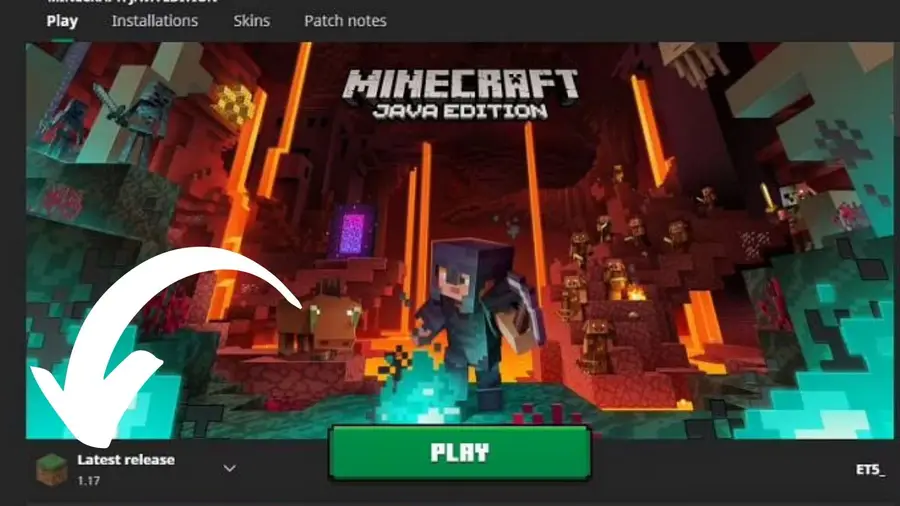
On the launcher landing page, find your saved installation in the list and click it to change to that version of the game.
If you’re interested in exploring Minecraft‘s snapshot versions, check out this guide!
How To Install a Snapshot Version of Minecraft
Play a new version before its even released!