Supernote A6x And A5x Pdf Feature
Supernote PDF annotations
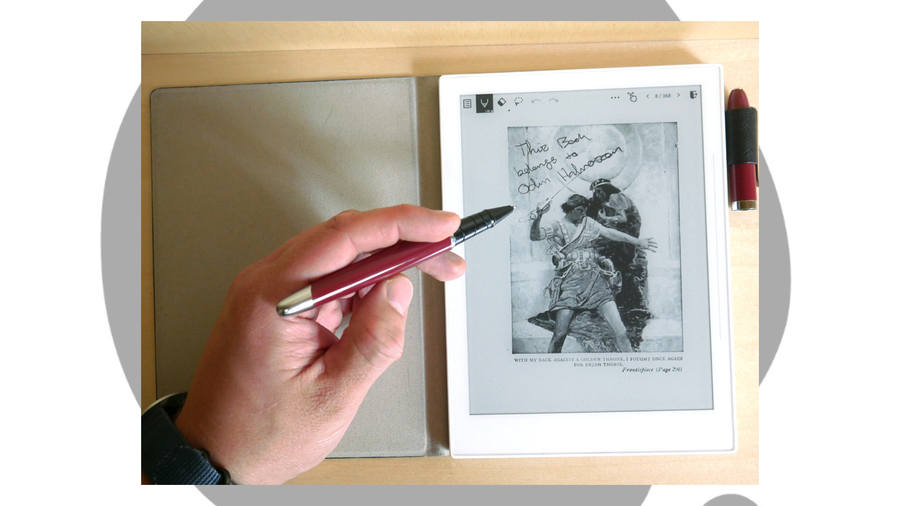
Annotating a PDF with the Supernote is fast and simple, similar to when using the native note-taking app. You can draw or write with the marker, pen, and highlighter. Anything you add can be selected, moved or copied, and of course there is both an eraser and an area-select erase tool. Colors are limited to white, two shades of gray, and black, but you can export pen marks as color if you so choose.
There is no layer support for PDFs at this time, sadly.
Supernote PDF bookmarks, notes, and searches
Especially with large PDF files, searching through both the PDFs own text and your notes becomes extremely important. Luckily, Supernote has a number of ways to handle this.
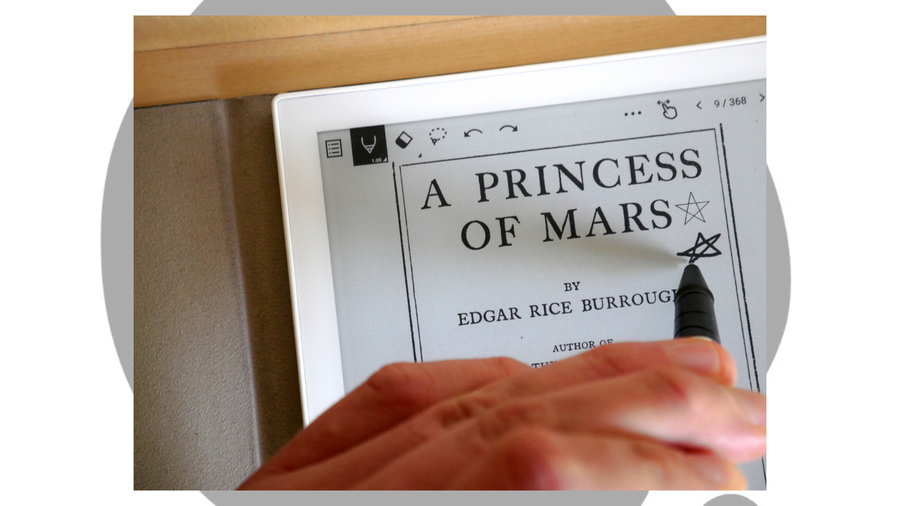
You can bookmark your spot with a tap. You can also draw a star anywhere on a PDF page, and this is automatically converted into a star-annotation for future review.
Searching through the PDFs own text is simple as well, and even with a non-optimized PDF file like my Internet Archive copy of A Princess of Mars, Supernote handled itself well, quickly finding my search word.
Supernote PDF crop
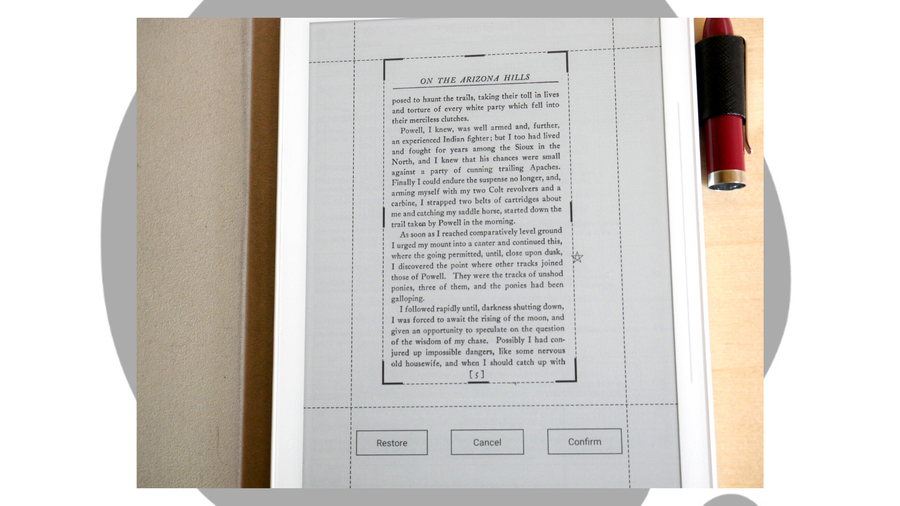
Cropping down a PDF can be useful for a number of reasons: from cutting to ensuring that it meets the page size dimensions that you need, to clipping out one part of a larger document for saving and later review. Supernote handles this quickly and effectively, with easy-to-drag crop borders that proved extremely responsive in my testing.
Supernote PDF pinch to zoom
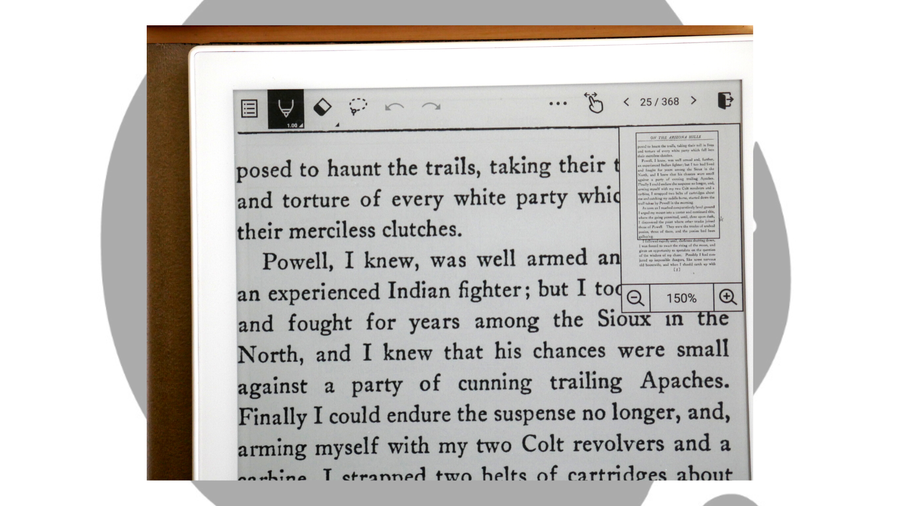
Pinching to zoom is a vital feature, especially if you have the tiny-yet-portable Supernote A6X. It functions impressively, with a barely noticeable lag time between the pinch gesture and the zoom enlargement. The handy magnifying window can then be dragged around the document for easy viewing of any area.
Supernote PDF export
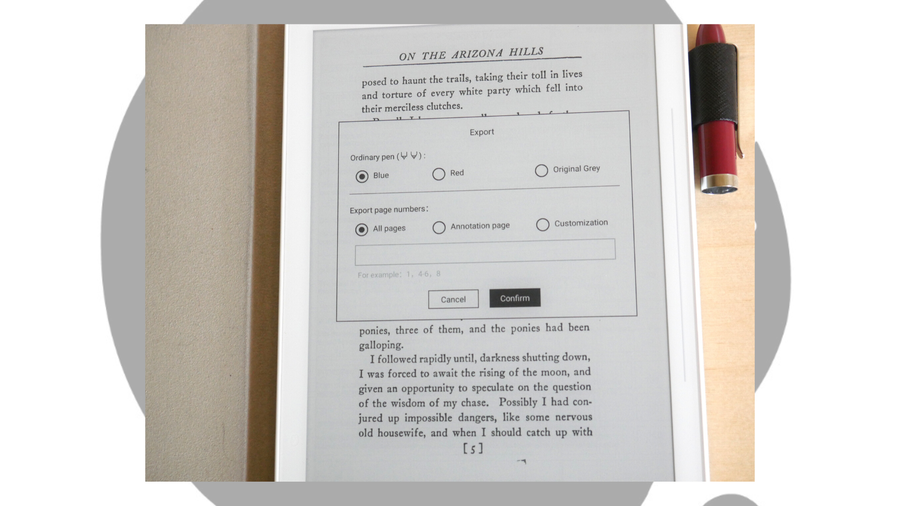
The PDF export functions are simple but powerful enough that I can handle my workload as a tutor, or export annotations of my own writing and reading projects. The ability to export the pen as colored blue or red is especially useful when I’m marking up a client’s manuscript and don’t want my annotations to get lost among the text.
Like all the Supernote’s PDF features, this is simple and elegant, and matches the responsiveness of most of the other devices I’ve tested.