Use Chrome Developer Tools To Check Whether Resources Are Loading Over Ssl
1
Navigate to the Network Tab
Open Chrome Developer Tools and open the Network tab.
2
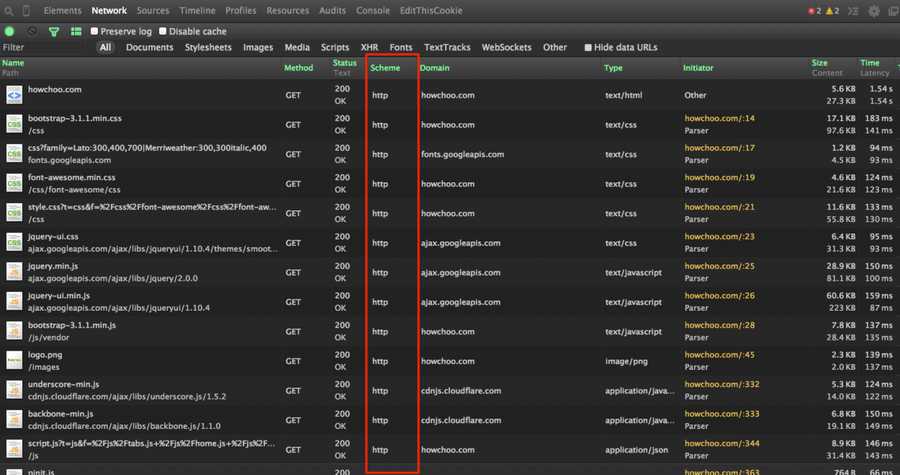
Enable the Scheme column
Right click any table heading (i.e. Name, Domain, Type, etc.) and check “Scheme”.
3
Reload the page
Reload the page and you will now see a column for http/https. Keep in mind, any time you open the Network panel in Developer Tools, you will need to refresh the current page; the Network panel only displays files which are loaded while Chrome Developer Tools is open.